
Hot Topics:


Table Of Contents
- The Silent Killer: How Blog Speed Affects Your Bottom Line
- The 90/10 Rule: Why Infrastructure Outweighs Optimization
- Understanding Server Response Time (TTFB)
- Hardware Matters: NVMe SSDs vs. Standard SATA
- The Role of Server Resources: CPU and RAM Allocation
- Server Location and Latency: Why Physical Distance Matters
- Software Stack Efficiency: LiteSpeed, NGINX, and Apache
- The Impact of PHP Versions on WordPress Performance
- Managed vs. Unmanaged Hosting: The Speed Trade-off
- Critical Metrics to Watch: Core Web Vitals and LCP
- How to Test Your Host’s Performance (Step-by-Step)
- Identifying "Server-Side" Bottlenecks
- Red Flags: When to Leave Your Current Host
- Quick Wins to Supplement a Fast Host
- Summary: Choosing a Speed-First Hosting Partner
As the owner of a blog, I’ve spent a lot of time trying to make my website load faster by a few milliseconds. I have compressed images until they were pixelated, installed a lot of caching plugins, and deleted JavaScript files without mercy. Even though I messed around with the front end, my site still felt slow.
I didn’t realize my mistake until I looked under the hood: I was trying to fix a broken foundation. Based on what I’ve seen and what top SEOs around the world have seen, your web host controls about 90% of how fast your blog can go.
In this full guide, I’ll explain in detail why your hosting infrastructure is more important than front-end optimizations, how server hardware affects performance, and how to test your current setup to see if it’s time to move.
The Silent Killer: How Blog Speed Affects Your Bottom Line
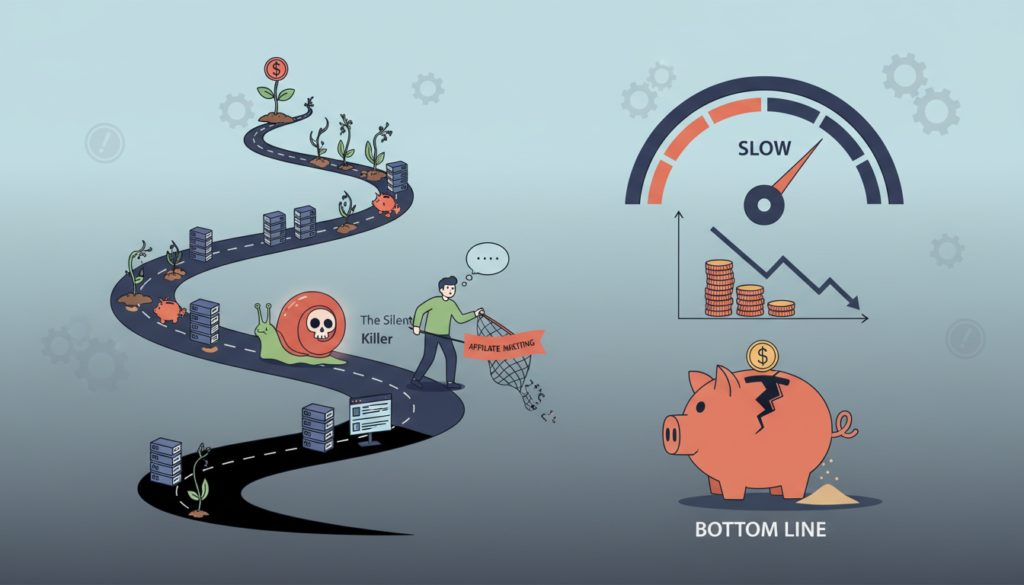
Before we get into servers and software, we need to talk about why speed is important. A blog that loads slowly is bad for your business. People who click on your link from Google expect it to be delivered right away. More than half of the people who visit your site will leave before reading a single word if it takes more than three seconds to load.
Search engines like Google use page speed as a ranking factor, in addition to how well the site works for users. A slow site tells search algorithms that your content doesn’t give users a good experience. This means that your blog will have lower rankings, less organic traffic, and, in the end, fewer conversions or ad revenue.
The 90/10 Rule: Why Infrastructure Outweighs Optimization

This is what I call the 90/10 Rule of Web Performance. Front-end optimizations, like lazy-loading, CSS minification, and using lightweight themes, make your site about 10% faster. The other 90% depends only on the raw power of your web host.
It’s like putting together a race car. You can put on the best racing tires (10%), add aerodynamic spoilers, and take out the heavy seats. But if your cheap shared host has a lawnmower engine under the hood, you’ll never win the race. Your host gives you the engine; everything else is just how it moves through the air.
Understanding Server Response Time (TTFB)
You need to look at a specific metric instead of the total loading time to really judge how well your host is doing.

What is Time to First Byte?
TTFB stands for “Time to First Byte.” It is the exact amount of time it takes for a user’s browser to get the first byte of data from your server after making an HTTP request. It is the most accurate sign of server health. No matter how well you optimize your images, your site can’t load in less than 1.5 seconds if your TTFB is 1.5 seconds.
How Hosting Hardware Impacts TTFB
Your server has to run PHP code, query the database, put together the HTML, and send it back when a user asks for a page. Modern, powerful hardware can do this in milliseconds. Overcrowded and old servers have a hard time handling these requests, which leads to a high TTFB. A good host should always have a TTFB of less than 200ms.
Hardware Matters: NVMe SSDs vs. Standard SATA

Not all storage drives are the same. In the past, servers used mechanical hard disk drives (HDDs), which were known for being very slow. Then there were SATA Solid State Drives (SSDs), which made a huge difference in speed.
NVMe (Non-Volatile Memory Express) SSDs are the best type of SSDs right now. These drives are made just for modern high-speed networks. They can read and write data up to six times faster than regular SATA SSDs. WordPress is a dynamic platform that reads and writes to a database all the time. Having NVMe storage on your host makes database queries much faster.
The Role of Server Resources: CPU and RAM Allocation
Your server is a computer, and just like your laptop, it needs a processor (CPU) and memory (RAM) to function.

Shared vs. Dedicated Resources
When you use traditional shared hosting, your blog shares CPU and RAM with hundreds of other sites on the same server. When another site gets a lot of traffic, it can use up all the resources, which will make your blog slow and hungry. Dedicated resources, like VPS or cloud hosting, are offered by premium hosts. This means that a certain amount of CPU and RAM is set aside just for your website.
The Danger of “Overselling” on Cheap Hosts
A lot of budget hosts “oversell.” They put thousands of websites on one server to make the most money, hoping that not all of them will need resources at the same time. When they do, the whole server crashes or slows down to a crawl. If you’re paying $3 a month for hosting, you probably got ripped off.
Server Location and Latency: Why Physical Distance Matters
The laws of physics must be followed by data. From the server to the user’s device, it has to go through fiber-optic cables. This distance in space causes latency.
If your blog is hosted in a data center in London but most of your readers are in Sydney, Australia, every request has to travel halfway around the world. This trip in real life adds hundreds of milliseconds to the time it takes to load. A top-tier host will let you pick a data center location that is closest to your target audience. This will help reduce this latency caused by distance.
Software Stack Efficiency: LiteSpeed, NGINX, and Apache

The physical hardware is only half the battle; the software running on the server is equally crucial.
| Web Server Software | Performance Profile | Best Use Case |
|---|---|---|
| Apache | Older, reliable, but struggles with high concurrent traffic. | Legacy sites, budget hosting. |
| NGINX | Highly efficient, great at handling thousands of simultaneous connections. | High-traffic blogs, modern VPS. |
| LiteSpeed | A drop-in replacement for Apache that operates at blazing speeds with built-in server-level caching. | Premium WordPress hosting. |
If your host is still running a basic Apache setup without NGINX reverse proxies or LiteSpeed, you are missing out on significant server-side speed gains.
The Impact of PHP Versions on WordPress Performance
PHP is a server-side scripting language that WordPress is built on. PHP gets regular updates that make it safer and faster, just like the operating system on your smartphone.
With each new version of PHP, it gets a lot faster. If you upgrade from an old version of PHP, like 7.4, to a newer version, like 8.2 or 8.3, your site’s processing speed could go up by as much as 30%. A good host will always let you switch to the newest stable PHP versions easily from your dashboard.
Managed vs. Unmanaged Hosting: The Speed Trade-off
When you pick a host, you can choose between managed and unmanaged options.
With unmanaged hosting, you get raw server space. You are in charge of installing the operating system, setting up the web server, and configuring firewalls. It can be cheap and fast, but it needs a lot of technical knowledge.
On the other hand, managed WordPress hosting is set up by professionals just for WordPress. These hosts come with server-level caching, automatic updates, and custom PHP tweaks already set up. A premium managed host is the easiest way for most bloggers to get top-notch speed.
Critical Metrics to Watch: Core Web Vitals and LCP
Google made Core Web Vitals the most important measures of how well a website works for users. Largest Contentful Paint (LCP) is the most important speed metric.
LCP tells you how long it takes for the biggest thing on your screen to become fully visible. This is usually a block of text or a featured image. To pass Google’s test, your LCP must be less than 2.5 seconds. Because LCP depends a lot on how quickly your server can send the first HTML and images, you need a fast host to get passing Core Web Vitals scores.
How to Test Your Host’s Performance (Step-by-Step)
You don’t have to guess if your host is slow; you can prove it with data. Here is how I test server performance.
Using Google PageSpeed Insights for Real-World Data
Put your URL into Google PageSpeed Insights. Look at the Opportunities and Passed Audits sections after the main score. If you see a warning that says “Reduce initial server response time,” Google is telling you directly that your host is slowing down your performance.
Advanced Testing with GTmetrix and WebPageTest
I suggest using GTmetrix for a more detailed view. Run a scan, go to the Waterfall tab, and hover over the first request, which is your main HTML document. Check out the “Waiting” time; this is your TTFB. Your server is having a hard time if it takes more than 500 ms. WebPageTest.org is another great tool that lets you test your blog from different parts of the world to see how latency affects it.
Identifying “Server-Side” Bottlenecks
Not always is the hardware broken; sometimes it’s how your server is set up. A lack of object caching (like Redis or Memcached), databases that aren’t set up correctly, or PHP memory limits that aren’t high enough are all common server-side bottlenecks.
If your host doesn’t have built-in object caching for database queries, your WordPress site has to get data from the MySQL database every time a page loads. A high-quality host will take care of this caching on the server level, which will make load times much shorter.
Red Flags: When to Leave Your Current Host
It can be daunting to migrate your blog, but ignoring these red flags will cost you traffic. It is time to leave your host if:
- You experience frequent “micro-outages” where your site goes down for 5-10 minutes at a time.
- Customer support deflects blame. If your TTFB is 2 seconds and they tell you to “compress your images,” they are hiding their own hardware failures.
- They lack modern infrastructure. If they don’t offer NVMe drives, LiteSpeed/NGINX, and the latest PHP versions, they are artificially limiting your potential.
Quick Wins to Supplement a Fast Host
Once you have a powerful host, your front-end optimizations will finally make a massive impact. To get that final 10% of speed, ensure you are:
- Using a lightweight theme (like GeneratePress or Astra).
- Implementing a robust Content Delivery Network (CDN) like Cloudflare.
- Converting your images to next-gen formats like WebP.
- Removing heavy page builders if they aren’t strictly necessary.
Summary: Choosing a Speed-First Hosting Partner
The speed of your blog is more than just a technical measure; it’s the basis of your user experience and SEO plan. It’s important to tweak plugins and optimize images, but if your site is on a slow, crowded server, those efforts are pointless.
You can get 90% of your speed potential by paying for a host that puts NVMe storage, dedicated resources, modern web servers, and the latest PHP versions first. Stop trying to make a bad server work better, and start building your blog on a fast foundation.
Frequently Asked Questions
1.Can I upgrade my hosting plan later?
Absolutely. All the beginner hosts I recommend allow you to seamlessly upgrade from a basic shared plan to a more powerful plan with a single click as your website traffic grows.
2.Do I have to buy my domain and hosting from the same company?
No, you do not. However, keeping them together is usually much easier for beginners, as it removes the technical step of pointing DNS records from a third-party domain registrar to your new host.
3.Is free hosting worth it for a beginner?
I strongly advise against completely free hosting. They typically force you to display their ads on your site, offer terrible server speeds, provide zero customer support, and can delete your website without warning. Paying USD 1.00 to USD 3.00 a month is a small price for total control and reliability.
4.Is WordPress the right choice for beginners?
For many beginners, WordPress offers a friendly balance of ease-of-use and extensibility. If you want the simplest path, start with a host that offers one-click WordPress.
5.What is the best hosting for absolute beginners in 2026?
I recommend starting with Hostinger for balance or IONOS for ultra-low entry pricing, then reassessing after a few months as your site grows.